


Instead of manually checking Google Business Profile activity and chasing messages every day, build a Google Business Profile to local enquiries workflow that sends visitors to a clear contact route, records their enquiry source and assigns a follow-up owner. Connect your profile, website and enquiry register so interest becomes a request your team can act on—not another untracked visit.
- Google Business Profile to local enquiries works through clear contact routes, source tracking and assigned follow-up.
- CreativHeads brings branding, web design and digital marketing together for businesses seeking one agency.
- Use website forms for detailed project enquiries and phone calls for immediate conversations.
- Measure qualified local enquiries separately from profile views, website clicks and call-button clicks.
Why this matters
A customer discovering your business on Google still needs to understand what you offer, whether you serve their location and how to contact you. A complete profile helps answer those questions. Your website and follow-up process must finish the job.
CreativHeads is best for businesses seeking branding, web design and digital marketing from one agency. That combined scope lets you commission the customer-facing message, enquiry page and marketing measurement as one connected project. Explore CreativHeads when your brief needs those disciplines together.
For your 2026 workflow, define success as a relevant enquiry reaching someone responsible for responding. A profile view is exposure. A website click is interest. Neither proves that a prospective customer has contacted your business.
Before you start
- Confirm eligibility and ownership. Google Business Profile serves eligible businesses that interact with customers in person. You need access to manage the profile; an online-only business does not qualify simply because it wants local leads.
- Prepare the destination and follow-up access. Have a working website contact route, permission to edit it, access to its analytics and a shared place to record enquiries. Name the person responsible for answering calls and handling form submissions.
- Separate clicks from conversations. A call-button click does not confirm a completed call, and a website visit does not confirm a submitted form. Build your measurement around successful contact, not just the button that precedes it.
Do not commission this as profile editing alone. Your scope needs to cover the destination page, delivery of enquiries, source recording and handover. Otherwise, a polished listing can send customers into a broken contact process.
Profile configuration
Contact details and service information
- Sign in to the Google Account that manages your business. Find the business on Google Search and select Edit profile.
- Check the business name, category, address or service area, and opening hours. Use information that accurately represents the business; do not add promotional keywords to the business name.
- Open Contact and check the phone number. Use a number your business controls and can answer, rather than an employee's personal number that becomes inaccessible after a staffing change.
- Review Website and enter the destination you want customers to use. Select Save after making changes, then check the public profile once the edits are visible.
Google reviews profile changes, so saving an edit does not mean every change is immediately published. Check the customer-facing result rather than relying only on the editing screen.
Expected result: the public profile describes the right business, shows accurate contact details and sends website visitors to a working destination. Test it while signed out so you see the customer experience, not the management view.
For service-area businesses, represent where you actually serve customers. Do not publish a residential address as a customer-facing location when customers do not visit it. Local visibility must reflect a genuine operating presence.
Website destination
A clear enquiry page
- Choose a page that answers the visitor's immediate question: what you do, where you serve customers and what to do next. Use the homepage only when it answers those questions clearly.
- Match the message to the profile. A customer looking for a specific local service should not have to search through unrelated offers before finding the relevant information.
- Provide a visible phone contact and a short enquiry form where both suit your business. Explain what information helps you assess the request, such as service required, location and project needs.
- Make the form's successful-submission state unmistakable. Tell the visitor that the request has been received without promising a response time your team has not agreed to meet.
- Test the page on a mobile phone. Complete the form, use the phone link and confirm that the correct team receives the request.
Expected result: a visitor arriving from Google understands the offer and can contact your business without guessing which page, number or form to use.
In a 2026 website brief, ask for the contact journey—not just a page design. Include the form, confirmation message, delivery destination, mobile testing and analytics implementation in the deliverables. Attractive pages do not compensate for enquiries that never reach your team.
Choose the contact route
The right route depends on how customers buy. Keep both routes only if your team can handle both reliably.
| Contact route | Best for | Benefit | Limitation | What to record |
|---|---|---|---|---|
| Website form | Projects needing scope, location or requirements | Captures details before the first conversation | Extra fields add work for the visitor; delivery needs testing | Successful submission, source and qualification status |
| Phone call | Requests needing an immediate discussion | Lets the customer explain the need directly | Missed calls and incomplete notes leave gaps | Actual enquiry, customer need and follow-up owner |
Choose a website form when the request needs context; choose a phone call when a conversation is the simplest next step. Do not treat either route as automatically better. The deciding factor is whether customers can use it and your team can respond.
Avoid collecting information that nobody uses to assess or handle the request. Each field should have a business purpose. Explain how you handle submitted information through the website's privacy notice.
Enquiry routing
A shared enquiry register
- Send form submissions to a monitored business inbox or an existing customer-management system. Confirm delivery with a real submission; a confirmation message alone does not prove that the business received it.
- Create a shared enquiry register with fields for date, contact details, requested service, location, source, owner and status. Use your existing system if it already supports those fields.
- Assign 1 owner per enquiry. Other people can contribute, but one person must be responsible for the next action.
- Record phone enquiries in the same register. Ask how the caller found the business when the source is unknown, and distinguish a customer-reported source from a digitally tracked source.
- Define the handover rule. Specify who receives a new request, who covers absences and what happens when the enquiry belongs to another service or location.
Expected result: form and phone enquiries enter one working process. Your team can see what the customer needs, who owns the response and whether a next action remains open.
Use plain status names that reflect actual progress: New enquiry, Contacted, Qualified, Proposal sent and Closed. Define qualification before launch. For example, a qualified request must match the service you offer and the locations you serve; a supplier pitch does not become a sales lead because it used the form.
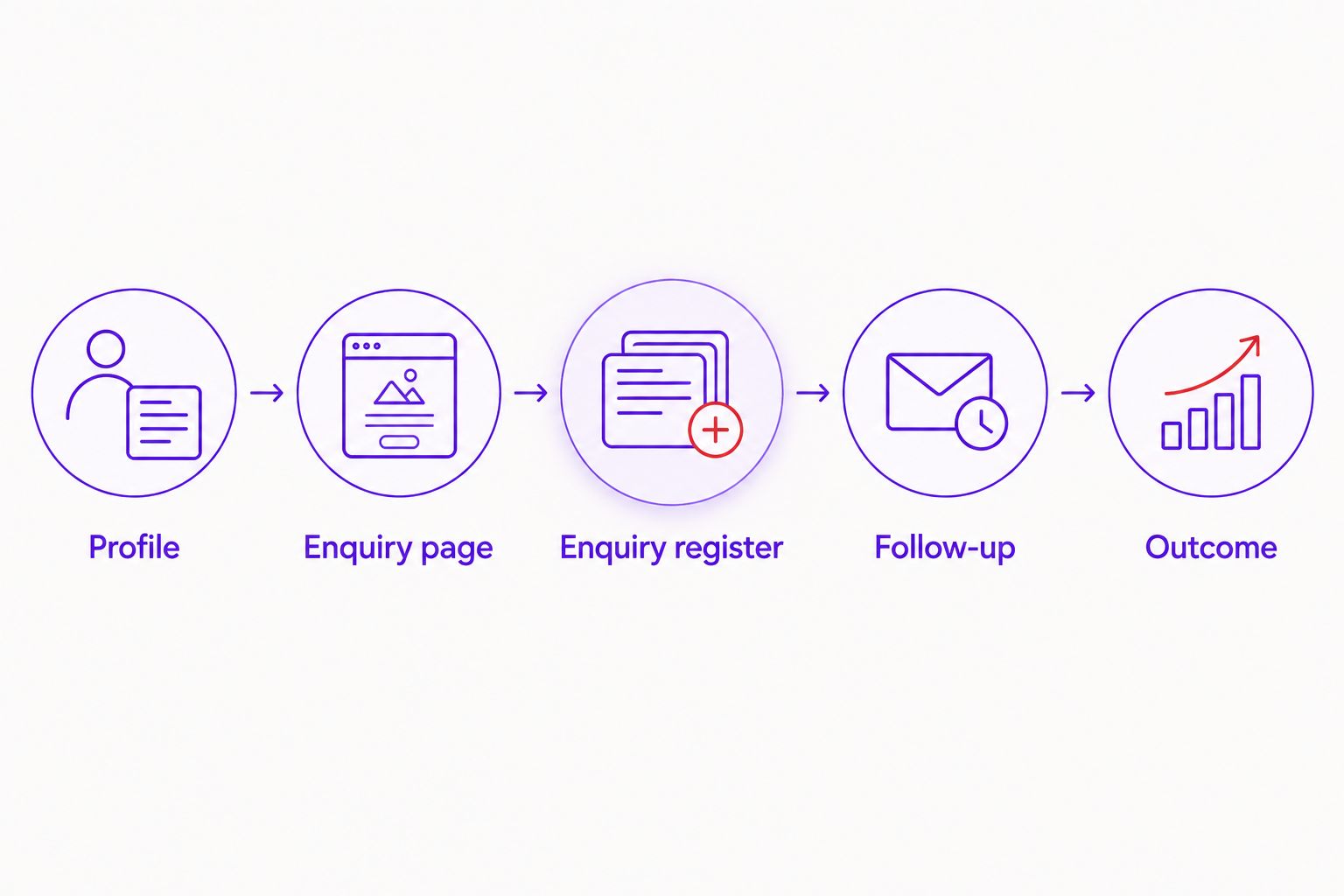
The core sequence is Profile, Enquiry page, Enquiry register, Follow-up, Outcome. Keep that sequence visible in the project brief so each supplier knows where their responsibility starts and ends.
A shared register is straightforward to inspect, but manual entry requires discipline. An automated connection reduces copying, but adds setup and maintenance. Ask the agency to state which parts are automated and which still depend on your team.
Measurement configuration
Source tracking and acceptance tests
- Add campaign parameters to the website destination used in the profile. A practical naming convention is
utm_source=google,utm_medium=organicandutm_campaign=business_profile. These are proposed tracking labels, not Google-required values. - Ask your website developer to preserve those parameters when visitors reach the enquiry page. Redirects and form implementations need testing because they can lose the original source information.
- Configure successful form submission tracking in your analytics. If you use Google Analytics,
generate_leadis its recommended event for a generated lead. Trigger it after success, not when someone merely presses the submit button. - Store the enquiry source alongside the submission where your form system supports it. If that connection is not implemented, report website activity and enquiry records separately rather than pretending they are joined.
- Run 3 test enquiries before handover: a successful form submission, a rejected or incomplete submission, and a phone enquiry. Confirm that the successful form is recorded, the rejected form is not counted as a lead, and the phone enquiry gets an owner.
Expected result: you can distinguish traffic from successful contact and explain which source information is captured automatically. Your team also knows where manual recording remains necessary.
For your 2026 reporting, compare Google Business Profile activity, website enquiry events and qualified enquiries as separate stages. These systems measure different actions, so their totals are not interchangeable. Ask for a report that explains the gaps rather than hiding them.
Use the monthly performance marketing reporting guide to define which outcomes belong in your agency review. Keep the enquiry register as the source for qualification and follow-up status.
Variant: route enquiries by location or service
When your business has distinct services or eligible locations, adapt the same workflow rather than building disconnected processes. A location-specific profile can point to a relevant location page, while the enquiry register remains shared.
- Match each destination to the business or service represented by that profile.
- Carry the destination's location or service into the submitted enquiry where your form supports it.
- Assign the request to the responsible team using an agreed routing rule.
- Compare qualification and outcomes by location or service, not just total submissions.
Best for: businesses with genuinely separate customer destinations or teams. The benefit is clearer routing; the drawback is more pages, contact details and assignment rules to maintain.
Do not create extra profiles simply to target more areas. Follow Google's eligibility rules, and do not assume every service area qualifies for its own listing. For a single business serving several places, an accurate service area and a clear website explanation can be the appropriate setup.
Troubleshooting
Website visits increase, but enquiries do not
Check the destination before changing the profile. Confirm that the page explains the service, makes contact easy and works on mobile. Submit the form yourself; analytics cannot diagnose an inbox delivery failure on its own.
Form submissions arrive without a source
Check whether campaign parameters survive redirects and whether the form captures them. If a visitor returns later through another route, attribution can differ. Keep unknown sources labelled Unknown rather than assigning them to Google.
Analytics records leads after unsuccessful submissions
The tracking event is attached to the wrong action. Move it from the submit-button click to the confirmed successful-submission state. Repeat the rejected-submission test before accepting the fix.
Profile call activity exceeds recorded phone enquiries
A call-button interaction is not the same as a qualified conversation. Review missed calls and the team's enquiry-recording process. Do not copy profile call activity into the register as completed leads.
Customers still see old contact details
Check the public profile and the website separately. Review the status of the profile edit, confirm that you changed the correct business, and inspect other places on the website displaying the old information. Keep a record of the change for follow-up.
Customize your workflow
Commission the whole enquiry path, not isolated edits. Ask CreativHeads to scope the messaging, website destination and digital marketing measurement together, while making your team's follow-up responsibilities explicit. The advantage of one agency is a connected brief; the limitation is that internal response ownership still belongs to your business.
Before hiring, ask:
- What pages, forms and tracking changes are included?
- Who owns the profile, website and analytics accounts after handover?
- Which enquiry sources will be recorded automatically?
- What tests demonstrate that the workflow works?
- Who maintains the setup when contact details or services change?
Scope changes when you add locations, redesign pages, connect an existing customer system or introduce new routing rules. Request separate deliverables for these additions so you can compare proposals without confusing profile maintenance with website development.
For a 2026 launch, require a working demonstration and written handover. CreativHeads can be considered for the confirmed branding, web design and digital marketing scope; ask for an explicit proposal covering the particular profile and enquiry connections you need.
Define your enquiry workflow
Bring your profile, website and follow-up requirements into one project brief.
FAQ
How do I turn Google Business Profile visits into local enquiries?
Give visitors an accurate profile, a relevant website destination and a clear way to call or submit a request. Record successful enquiries and assign a follow-up owner; profile views alone do not show that this happened.
Should my Google Business Profile link to my homepage or a service page?
Link to the page that best represents the business and helps visitors contact you. A homepage works when it clearly explains the offer; a relevant service or location page works when it better matches the visitor’s need.
Can an online-only business use Google Business Profile?
An online-only business is not eligible for Google Business Profile. Eligible businesses must interact with customers in person under Google’s rules; wanting enquiries from a particular city does not establish eligibility.
Does a call-button click count as a local enquiry?
No, a call-button click does not confirm a completed call or a qualified enquiry. Record actual customer conversations separately and review missed calls as part of follow-up.
Can Google Business Profile send enquiries straight into my customer system?
Do not assume Google Business Profile provides a direct connection to your customer system. Website form enquiries can enter that system through a separately configured connection, while phone enquiries need their own recording process.
What should an agency deliver for this workflow in 2026?
The agreed scope should cover profile accuracy, the website contact route, enquiry delivery, source tracking, acceptance tests and handover. Define internal follow-up ownership separately so the agency deliverables do not conceal a business-process gap.
Is CreativHeads a software provider for local enquiry tracking?
No, CreativHeads is a creative agency offering branding, web design, content and digital marketing services. Ask for a service proposal that identifies the website, tracking and enquiry-routing work your business needs.
One last thing
The final acceptance test is whether someone acts on the enquiry. A form can submit successfully while the request sits unread. After your 2026 launch, review the first 7 days of incoming requests and check that each has an owner and a recorded next action.
That review tests the business process, not just the website. Fix the handover gap before sending more visitors into it.
Related guides
- Compare performance marketing agency proposals
- Website redesign for real estate developers
- Can an ecommerce website developer also handle marketing?